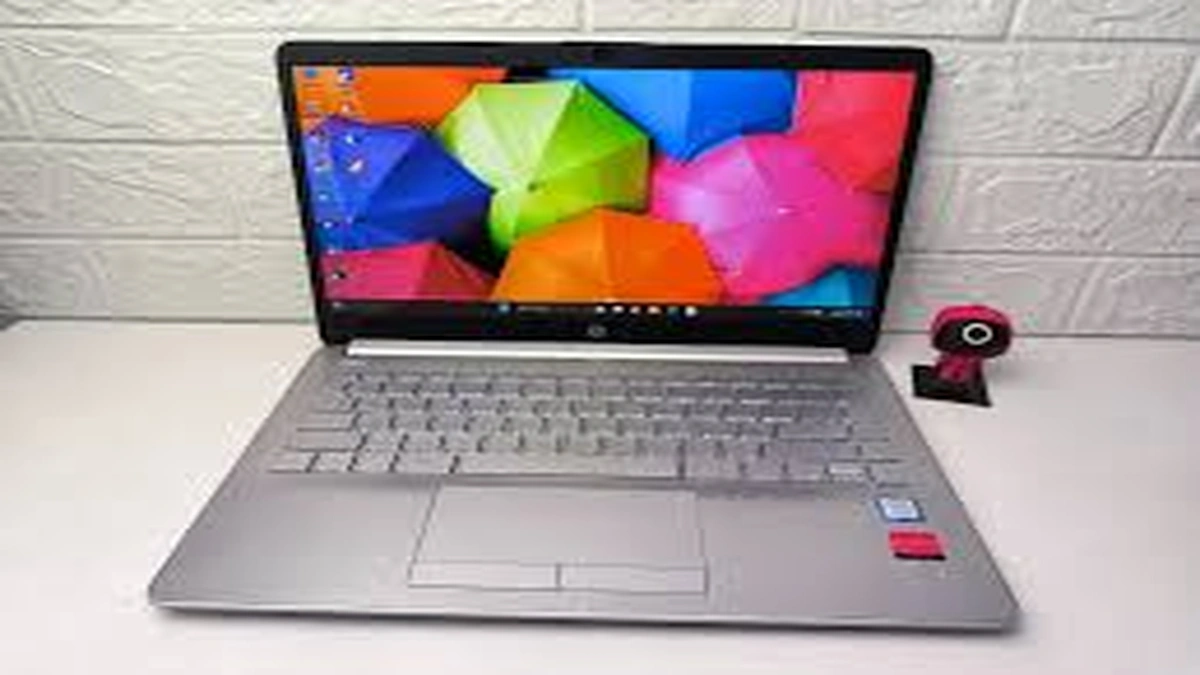
I have a soft spot for laptops like the HP Laptop 14s-cf1xxx because they live in the real world. They are not trying to be flashy gaming machines or ultra-premium showpieces. Instead, this model family aims to be a reliable everyday notebook: light enough to carry, strong enough for office work and study, and flexible enough that you will see many different configurations in the wild.
That last part matters. “HP laptop 14s-cf1xxx” is not one single laptop spec. It is a series identifier. Two people can both own an “HP Laptop 14s-cf1xxx” and still have different processors, memory, storage, and even display panels depending on the specific sub-model and region. That is why buyers sometimes feel confused when they search online and see conflicting information.
In this article, I’ll do two things at once. First, I’ll explain what the 14s-cf1xxx series generally includes, using real specs that commonly appear with this chassis. Second, I’ll show you how to evaluate a specific unit in front of you, especially if you are buying used or refurbished. Along the way, I’ll cover ports, display options, performance expectations, battery life, upgrade potential, and the most common pitfalls to avoid.
What “HP Laptop 14s-cf1xxx” Actually Means
HP uses a naming structure where the family name and chassis stay consistent, but the internal configuration can vary widely. In simple terms:
- “14s” usually refers to a 14-inch class notebook in a slim consumer-friendly chassis.
- “cf” is a platform code that indicates a generation or design family.
- “1xxx” is a range, not a single model.
So when you see “14s-cf1xxx,” think of it as a bucket containing multiple variants. One of the most common pairings you’ll see is an 8th Gen Intel U-series processor, such as the Core i5-8265U.
Typical Configurations You Will See in the Market
Because the series spans multiple configurations, it helps to think in “common builds” rather than one fixed spec sheet. Refurbished listings often give a realistic snapshot of what exists in circulation.
For example, one common refurbished configuration includes:
- Intel Core i5-8265U
- 16GB RAM (often the listed maximum for that configuration)
- 256GB SSD
- 14-inch FHD IPS anti-glare display (1920 x 1080)
- Intel UHD Graphics 620
- Windows installed
- Weight around 1.51 kg
This kind of spec bundle appears frequently in reseller listings.
At the same time, performance databases also show the 14s-cf1xxx paired with the Intel Core i5-8265U, reinforcing that this CPU is a common match for the series.
Core Hardware Overview
Processor Options and What They Mean for Performance
In day-to-day terms, the hp laptop 14s-cf1xxx series tends to show up with Intel low-power laptop CPUs (the “U” series). A very common example is the Core i5-8265U, a 4-core, 8-thread chip designed for thin laptops.
What that translates to in real life:
- Excellent for: Chrome tabs, Office apps, Zoom or Teams calls, basic Photoshop work, light coding, and general multitasking.
- Okay for: casual photo editing, light video editing at 1080p with patience, and older or lightweight games.
- Not ideal for: modern AAA gaming, heavy 4K video editing, or sustained high-load work for hours.
If you are buying used, the CPU model matters more than the series name. Always check the exact processor in the listing or in Windows “System Information.”
Graphics: Intel UHD Graphics 620 and Expectations
Many 14s-cf1xxx units use Intel UHD Graphics 620 integrated graphics.
This GPU is built for efficiency, not gaming power. It is perfect for:
- streaming and video playback
- external display output for office work
- lightweight creative tools
But it will struggle with demanding 3D work. If your workflow includes gaming or heavy GPU tasks, you should treat this series as a “work-first” laptop, not an entertainment powerhouse.
RAM: How Much You Need and What “Max Memory” Means
Some sellers list these laptops with 8GB or 16GB RAM, and you may see “max memory” values in listings.
The key point: maximum RAM depends on the motherboard design and sometimes on how the memory is installed (for example, one slot versus soldered plus slot). Because this is a series, not a single SKU, you should verify your exact unit.
Practical advice:
- 8GB is workable for office tasks and study, but you will feel it with many tabs and heavier multitasking.
- 16GB is the sweet spot if you want the laptop to feel smooth for years.
Storage: SSD Types You May Encounter
Storage is one of the biggest real-world speed differences in the used market. Many units ship with SSDs, and service documentation for this HP 14 chassis family shows SSD options including PCIe NVMe and SATA SSD types in common capacities like 128GB and 256GB.
Why this matters:
- A PCIe NVMe SSD typically feels faster for large file operations and boot times.
- A SATA SSD is still a big upgrade over a hard drive, but usually slower than NVMe.
If you are buying used, ask whether the laptop has an SSD and what type. A cheap upgrade from HDD to SSD can transform the experience, but it’s better if the machine already includes one.
Display: The Quiet Dealbreaker
The display can make or break your experience, and the hp laptop 14s-cf1xxx series appears with different panels depending on configuration.
One widely sold configuration uses a:
- 14-inch diagonal FHD IPS anti-glare panel
- 1920 x 1080 resolution
- micro-edge design
That is a solid setup for productivity: crisp text, better viewing angles, and less glare.
If you run into a cheaper variant with a lower-resolution panel, you may still be fine for basic tasks, but you will notice:
- less screen space
- softer text clarity
- weaker viewing angles (especially on non-IPS panels)
If possible, aim for FHD IPS. It is one of the best quality-of-life upgrades in everyday use.
Ports and Connectivity: What You Get and Why It’s Useful
A big reason people like these laptops is that they often include “practical” ports that are disappearing from ultra-thin machines.
Service documentation for the HP 14 chassis family shows the right side includes:
- headphone and mic combo jack
- two USB SuperSpeed ports
- HDMI
- RJ-45 Ethernet
- power connector
The left side commonly includes:
- security cable slot
- USB port
- SD card reader
Many reseller listings for the hp laptop 14s-cf1xxx also describe a port mix that matches the “everyday workstation” idea, including USB-C on some configurations plus HDMI and RJ-45.
Port Table for Quick Checking
| Port or Feature | Why It Matters |
|---|---|
| HDMI | Easy external monitor or TV connection |
| RJ-45 Ethernet | Stable wired internet for offices, gaming, or poor Wi-Fi spots |
| SD card reader | Convenient for photographers, phones, and file transfers |
| Multiple USB ports | Connect mouse, keyboard, printer, drives at the same time |
| Headphone and mic combo jack | Simple audio support without adapters |
Battery and Mobility of HP Laptop 14s-cf1xxx
Battery life in real life depends on the exact battery capacity, battery health, display type, and your workload.
Service documentation for this HP 14 chassis family includes a 3-cell battery rated at 48 Whr.
What that means in plain terms:
- If the battery is healthy and you do light work (web, documents, moderate brightness), you can often expect a few hours of practical use.
- If the laptop is older and the battery is worn, you may see a noticeable drop.
If you are buying used, battery health is as important as CPU and SSD. Ask the seller for:
- a battery report
- cycle count if available
- real usage time estimate
Also, the listed weight around 1.51 kg in common configurations makes it genuinely portable for daily commuting.
Build, Keyboard, and Everyday Feel
The 14s-cf1xxx class is designed to be light and practical, not tank-like. That gives you:
- easy portability
- a comfortable “carry to class or office” vibe
- a chassis that may flex more than premium metal ultrabooks
This is normal for the category. The best way to judge a specific unit, especially refurbished, is to check:
- hinge tightness
- palm rest condition
- keyboard wear
- trackpad click consistency
- ports for looseness
A clean unit can feel great for years. A heavily worn unit can feel annoying even with good internal specs.
Upgrade and Repair Reality: What You Can and Cannot Do
Many buyers want to know whether they can upgrade RAM or storage. The short answer is: often yes for storage, sometimes for RAM, but it depends on the exact variant.
Service documentation shows internal replacement procedures for components like the battery and the SSD module.
Storage Upgrades
The SSD module can be removed and replaced, which is good news if you want more space.
If you are buying a unit with 128GB or 256GB, you can likely upgrade later if the model uses a standard M.2 SSD slot. Always confirm in a teardown video for the exact sub-model or by opening the unit carefully if you already own it.
Battery Replacement
A 3-cell battery design is documented in the service guide, which suggests battery replacement is a known service procedure.
If you buy used and the battery is weak, a replacement can bring the laptop back to “portable life” again.
RAM Upgrades
RAM upgrade options vary by exact configuration. Some units may have a removable stick, others may have memory soldered, and some may combine both. Before you buy, ask the seller:
- Is the RAM upgradeable?
- How many slots are available?
- What is the current configuration?
If the seller does not know, you can request the exact product number from the bottom label and look up that SKU in a local market listing or service reference.
Performance in Real Workloads
For Students
This laptop series can be a strong student choice when configured with:
- 8GB to 16GB RAM
- an SSD
- an FHD display
You get enough power for research, documents, presentations, and online learning. A full port selection also helps with projectors and USB accessories.
For Office and Remote Work
For email, spreadsheets, browser tools, and video calls, a Core i5 U-series configuration performs well.
This is the kind of laptop that quietly does its job if you keep:
- Windows updates under control
- storage not completely full
- startup apps minimal
For Creators
If you mainly do light design work, social media graphics, and basic edits, the UHD Graphics 620 setup can work.
If you do heavier work like long video exports, you will feel the limits of integrated graphics and a thin cooling design.
Buying Used or Refurbished: A Checklist That Saves Money
Because “14s-cf1xxx” covers many configurations, used listings can be messy. Here is how I would buy one confidently.
Step 1: Confirm the Exact CPU
The CPU tells you a lot about the laptop’s speed ceiling. A Core i5-8265U is a common and capable option in this family.
Step 2: Confirm It Has an SSD
Storage type is the biggest “feel” upgrade. If you see NVMe mentioned, that’s even better.
Step 3: Confirm Display Resolution
If the listing states FHD IPS 1920 x 1080, that is a strong sign you will enjoy using it daily.
Step 4: Inspect Battery Health
A battery spec exists on paper, but battery health depends on age and usage.
If the seller cannot provide a battery report, factor a battery replacement into your budget.
Step 5: Ports Matter More Than You Think
If you need Ethernet, HDMI, or SD, confirm they exist and work. The HP 14 chassis family is known for offering these practical ports.
Common Issues and Simple Fixes
Slow Performance After Purchase
Most of the time, it is one of these:
- HDD instead of SSD
- too little RAM for heavy browsing
- Windows bloated with startup apps
Fixes:
- upgrade to SSD if needed
- reduce startup programs
- clean install Windows if the unit is full of junk software
Overheating or Loud Fan
Thin laptops can get warm under load. Keep vents clear and avoid using the laptop on soft surfaces. Service documentation emphasizes airflow and venting as part of the bottom design.
Weak Wi-Fi or Unstable Connection
Try:
- updating Wi-Fi drivers
- using Ethernet if available
- switching router bands (2.4GHz vs 5GHz)
Ethernet support is a practical advantage in this chassis family.
Who Should Buy the HP laptop14s-cf1xxx Today?
Good Fit If You Want
- a budget-friendly productivity laptop
- multiple ports including HDMI and often Ethernet
- a light, carryable 14-inch machine
- easy-to-find refurbished options
Not a Great Fit If You Need
- strong gaming performance
- heavy GPU acceleration
- premium metal build feel
- extremely long battery life on an older used battery
A Quick Decision Table
| Your Need | 14s-cf1xxx Recommendation |
|---|---|
| Office work, study, browsing | Yes, especially with SSD and 8GB to 16GB RAM |
| Video calls and remote work | Yes, ports and stable performance help |
| Photo editing and light creative work | Yes, but aim for 16GB RAM and FHD IPS |
| Modern gaming | No, integrated UHD 620 is limited |
| Buying used on a tight budget | Yes, but verify battery health and SSD |
Conclusion
The HP Laptop 14s-cf1xxx series succeeds because it focuses on everyday needs. When you find the right configuration, preferably an Intel Core i5 U-series model with an SSD and an FHD IPS display, it feels fast enough for real life and portable enough to go anywhere.
The smart way to approach this series is to stop thinking of “14s-cf1xxx” as one specification and start treating it like a family. Confirm the CPU, insist on SSD storage, check the screen resolution, and take battery health seriously. Do that, and you can end up with a dependable laptop that still makes sense today, especially in the used and refurbished market.
FAQs
Q1. What is the screen size of the HP 14s-cf1xxx?
Most units in this series are built around a 14-inch class display, and common configurations are listed with a 14-inch (35.6 cm) panel.
Q2. Does the HP 14s-cf1xxx have HDMI and Ethernet?
Many units in this chassis family include HDMI and an RJ-45 Ethernet port, which is a major advantage for office setups and stable internet.
Q3. Can I upgrade the SSD in the HP 14s-cf1xxx?
In many configurations, yes. Service documentation for the HP 14 chassis family shows SSD modules designed for replacement, including NVMe and SATA SSD types.
Q4. What battery capacity does this laptop series use?
Documentation for this HP 14 chassis family shows a 3-cell battery rated at 48 Whr. Actual real-world runtime depends heavily on battery health and workload.
Q5. Is the HP 14s-cf1xxx good for gaming?
It is not ideal for modern gaming because many configurations rely on Intel UHD Graphics 620 integrated graphics. It works for light and older games, but not demanding titles.