In my experience working with digital platforms and enterprise systems, I have often seen a simple sentence cause confusion, frustration, and sometimes even panic: “Your organization’s data cannot be pasted here.” At first glance, it sounds technical and restrictive. But behind this short message lies a complex structure of data governance, cybersecurity policies, compliance frameworks, and intelligent protection systems designed to safeguard sensitive information.
This article explores what that statement truly means, why organizations implement such controls, how modern security systems detect and block data transfers, and what businesses and employees can do to work efficiently without compromising security. By the end, you will understand that this restriction is not a barrier to productivity, but a shield protecting organizational integrity.
Understanding the Meaning Behind the Message
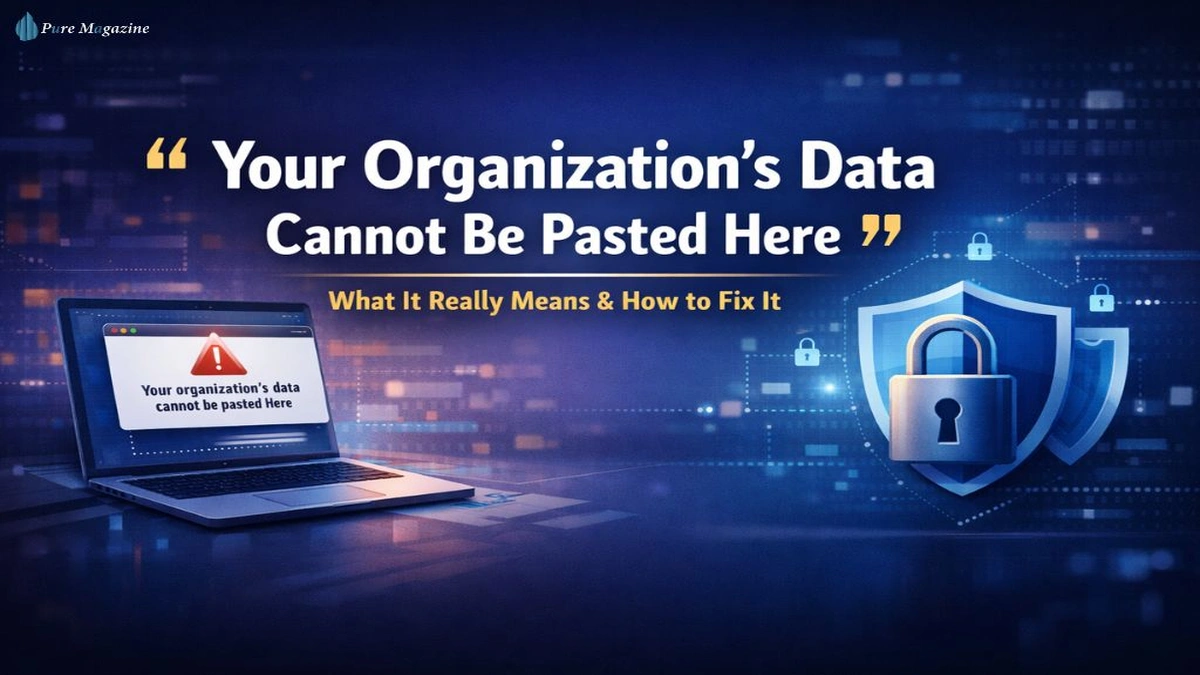
When a system displays the message that organizational data cannot be pasted, it typically means that the application or device you are using is governed by data protection policies. These policies prevent sensitive corporate information from being transferred into unauthorized platforms, applications, or personal accounts.
This message often appears in situations such as:
- Attempting to paste company data into a personal email
- Copying content from a secured enterprise app into a public messaging tool
- Transferring corporate documents to unmanaged devices
- Moving confidential text into cloud tools not approved by the organization
The restriction is enforced by enterprise management tools, mobile device management systems, endpoint security solutions, or data loss prevention frameworks. These systems monitor clipboard activity, file transfers, and application boundaries to ensure that sensitive information remains within controlled environments.
Why Organizations Restrict Copy and Paste Actions
The Growing Risk of Data Leakage
Organizations operate in an era where data is one of their most valuable assets. Intellectual property, customer records, financial data, trade secrets, and internal communications all represent critical resources. Even small leaks can result in:
- Financial losses
- Legal penalties
- Reputational damage
- Regulatory investigations
- Loss of competitive advantage
Copy and paste may seem harmless. However, it is one of the most common vectors for accidental or intentional data exfiltration.
Regulatory Compliance Requirements
Many industries operate under strict compliance standards that demand rigorous data handling practices. For example, healthcare organizations must follow the requirements established by Health Insurance Portability and Accountability Act to protect patient information. Financial institutions often comply with global standards influenced by frameworks such as International Organization for Standardization, which define security management protocols.
Failure to control how data moves between systems may violate compliance rules, leading to severe penalties.
The Rise of Hybrid Work Environments
Remote and hybrid work models have expanded organizational boundaries. Employees now access corporate data from:
- Home networks
- Personal devices
- Shared coworking spaces
- Public WiFi
In such distributed environments, unrestricted clipboard activity can expose data to insecure channels. Restricting paste actions becomes a practical defense mechanism.
How Data Loss Prevention Systems Work
Data Loss Prevention systems, often abbreviated as DLP, are advanced tools designed to detect and prevent unauthorized data movement. They operate across endpoints, networks, and cloud environments.
Clipboard Monitoring
Modern DLP systems monitor clipboard actions in real time. When you copy data from a protected app, the system tags it as organizational content. If you attempt to paste it into an unauthorized destination, the system blocks the action and displays a restriction message.
Contextual Analysis
Advanced systems go beyond simple app restrictions. They analyze:
- The type of data being copied
- The destination application
- The user’s role and permissions
- The security posture of the device
If the system determines that the transfer violates policy, it blocks the paste operation.
Application Segmentation
Many organizations separate apps into managed and unmanaged categories. Managed apps are approved for corporate use and can share data among themselves. Unmanaged apps cannot receive corporate data.
For example, copying information from a company email app into a personal messaging app may trigger a block.
Common Scenarios Where the Message Appears
Scenario 1: Corporate Email to Personal Account
An employee copies a confidential report from a company email client and attempts to paste it into a personal Gmail account. The system prevents the action because the destination is outside corporate control.
Scenario 2: Secure Document to Social Media
A marketing draft stored in a secured enterprise document editor cannot be pasted directly into a public social media scheduling tool unless that tool is approved.
Scenario 3: Enterprise Mobile Apps
On managed mobile devices, organizations often configure policies that prevent copying data from business apps to personal apps. This is common in environments using enterprise mobility management systems.
Scenario 4: Virtual Desktop Environments
In virtual desktop infrastructure setups, clipboard redirection between the secure environment and the local machine may be disabled.
The Business Benefits of Restricting Data Transfers
Although employees may initially view paste restrictions as inconvenient, they deliver substantial organizational value.
Reduced Risk of Insider Threats
Not all data breaches come from external hackers. Insider threats, whether intentional or accidental, represent a significant portion of incidents. Restricting copy and paste actions reduces this risk.
Stronger Audit Trails
When data movement is controlled, organizations can log and audit transfer attempts. This improves transparency and accountability.
Improved Customer Trust
Customers trust organizations that protect their information. Strong data governance practices strengthen brand credibility.
Regulatory Readiness
Your Organization’s Data Cannot Be Pasted Here With documented data controls, organizations are better prepared for compliance audits.
The Employee Perspective: Balancing Security and Productivity
Security controls must coexist with workflow efficiency. If restrictions become overly rigid, employees may seek workarounds, which can introduce even greater risk.
Common Frustrations
- Needing to retype information manually
- Switching between multiple secure applications
- Delays in collaboration
- Lack of clarity about approved tools
Organizational Responsibility
Companies must provide:
- Clear guidance on approved applications
- Secure alternatives for collaboration
- Training on data protection policies
- Transparent explanations for restrictions
When employees understand the reason behind the message, compliance improves significantly.
Technical Mechanisms Behind Clipboard Restrictions
Endpoint Management Systems
Enterprise endpoint management platforms enforce device-level policies. These systems can disable clipboard sharing between managed and unmanaged applications.
Conditional Access Policies
Some organizations implement conditional access frameworks that determine whether data transfer is allowed based on:
- User authentication status
- Device compliance
- Network security
- Geographic location
Encryption and Data Tagging
Protected data may carry encryption tags. When copied, the tag remains attached. Unauthorized applications cannot interpret or store tagged data properly.
Security Frameworks Influencing Data Protection Policies
Modern data protection policies often align with structured frameworks.
Risk Management Standards
Organizations adopt risk management approaches influenced by globally recognized standards. While frameworks differ by region and industry, they typically emphasize:
- Data classification
- Access control
- Monitoring and logging
- Incident response
Zero Trust Architecture
Zero Trust models assume that no device or user should be trusted automatically. Your Organization’s Data Cannot Be Pasted Here Every action, including clipboard transfers, must be verified.
This principle drives many paste restriction policies.
When Restrictions Become Too Restrictive
Not all implementations are optimal. Overly aggressive restrictions can:
- Reduce operational efficiency
- Increase user dissatisfaction
- Encourage shadow IT practices
- Create collaboration bottlenecks
Organizations must strike a balance by:
- Classifying data appropriately
- Allowing safe collaboration tools
- Periodically reviewing policy effectiveness
- Gathering employee feedback
Security without usability can backfire.
Best Practices for Organizations
1. Implement Clear Data Classification
Not all data requires the same protection level. Establish categories such as:
- Public
- Internal
- Confidential
- Highly sensitive
Clipboard restrictions can then be applied selectively.
2. Provide Approved Collaboration Tools
Ensure employees have secure tools that allow productivity without violating policy.
3. Conduct Regular Security Training
Employees who understand risk are less likely to bypass controls.
4. Monitor and Adjust Policies
Security environments evolve. Regular audits ensure policies remain effective and practical.
What Employees Can Do When They See This Message
If you encounter the message stating that organizational data cannot be pasted:
- Verify whether the destination application is approved.
- Use authorized platforms for data sharing.
- Contact your IT department if you believe access is necessary for legitimate work.
- Avoid attempting to bypass restrictions through unofficial methods.
Working within policy boundaries protects both you and the organization.
The Future of Data Protection Controls of Your Organization’s Data Cannot Be Pasted Here
As digital ecosystems expand, data protection technologies continue to evolve.
AI Driven Monitoring
Artificial intelligence increasingly analyzes behavioral patterns to detect abnormal data movement.
Adaptive Security Controls
Future systems may dynamically adjust restrictions based on contextual risk scoring.
Privacy Enhancing Technologies
Advanced encryption and tokenization methods will further protect data while allowing secure collaboration.
CONCLUSION
I believe that the message “Your organization’s data cannot be pasted here” represents more than a simple restriction. It symbolizes a broader commitment to responsible data stewardship in a world where information flows constantly across devices, networks, and platforms.
Organizations face unprecedented cybersecurity challenges. Data is both their greatest asset and their greatest vulnerability. Restricting clipboard transfers may feel inconvenient in the moment, but it plays a critical role in protecting sensitive information, maintaining compliance, and preserving trust.
Rather than viewing this message as an obstacle, we should see it as evidence that security systems are actively defending organizational integrity. With thoughtful policy design, balanced implementation, and clear communication, businesses can protect their data without sacrificing productivity.
In the digital age, safeguarding information is not optional. It is a strategic necessity.
FAQs:
Q1.What does “your organization’s data cannot be pasted here” mean?
This message means that the data you copied belongs to a protected organizational environment and cannot be transferred into the application or location you are trying to paste it into. The restriction is enforced by security policies designed to prevent unauthorized data sharing or leakage.
Q2.Why does my company block copy and paste actions?
Organizations block copy and paste actions to protect sensitive information. These controls help prevent accidental data leaks, insider threats, regulatory violations, and misuse of confidential business or customer data.
Q3.Is this restriction related to cybersecurity?
Yes, it is directly related to cybersecurity. Clipboard restrictions are part of broader data protection strategies such as data loss prevention, endpoint security, and secure access controls that reduce the risk of breaches.
Q4.Does this mean my device is being monitored?
Your device activity related to work applications may be governed by security policies. This does not mean personal content is being watched, but actions involving organizational data are monitored to ensure compliance with company rules.
Q5.Can I disable this restriction on my own?
No, individual users usually cannot disable this restriction. These controls are managed by the organization’s IT or security team and are applied at the system, application, or account level.
Q6.Why can I paste data into some apps but not others?
Organizations classify applications as approved or unapproved. You can paste data into approved, managed apps, but pasting into personal or unapproved apps is blocked to keep data within secure environments.
Q7.Is this message common on mobile devices?
Yes, it is very common on managed smartphones and tablets. Many organizations use mobile device management tools that separate work data from personal data and restrict clipboard sharing between them.
Q8.Does this affect productivity?
It can feel inconvenient at first, but the goal is not to reduce productivity. When organizations provide proper tools and training, employees can work efficiently while still keeping data secure.
Q9.What should I do if I need to share the data for work purposes?
You should use approved collaboration tools such as secure email, company chat platforms, or document management systems. If access is still blocked, contacting your IT department is the correct step.
Q10.Is retyping the information a safe workaround?
Retyping information may bypass technical controls, but it can still violate company policy if the data is sensitive. It is always better to follow official sharing methods instead of finding informal workarounds.